You hit “Send” on the rent, the app spins, and the payment just sits there as “pending.” On Monday, November 16, 2026, thousands of customers at Chase, Bank of America, Wells Fargo, U.S. Bank and other big US banks had that experience at the same time.
Key takeaways
- On November 16, 2026, thousands of customers at Chase, Bank of America, Wells Fargo and other US banks reported problems on Downdetector; Chase blamed a technical issue, not a cyberattack.
- Zelle said its network was working; delays came from issues at banks, because Zelle moves money between bank accounts and holds none itself.
- Don’t resend a stuck payment, save screenshots, and pay anything urgent another way you can confirm.
- If money ends up wrong, report it to your bank in writing; Regulation E sets the 60-day window and the bank’s investigation deadlines.
This guide covers what happened, then the order to do things in when a transfer, Zelle payment or deposit gets stuck during a bank outage. It also covers the rights you have if the money ends up in the wrong place. It’s general information, not financial or legal advice.
What happened on November 16
Problem reports on the outage tracker Downdetector started climbing on Monday morning and surged by the afternoon. As of 2 p.m. ET, nearly 4,800 users had reported problems with Chase, the most of any bank, according to CBS News. Newsweek counted more than 1,300 reports for Bank of America, more than 640 for Wells Fargo, more than 600 for U.S. Bank and more than 250 for Capital One at around the same time. These are user reports, not confirmed outage counts.
Here is what the companies said:
- Chase: “Due to a technical issue, some transactions are taking longer than usual to complete but customers still have access to their accounts and funds.” A spokesperson told Newsweek it was “a technical issue, not cyber related.” Some customers saw this app message: “Some services aren’t available. We’re working on them. Please try back later.”
- Wells Fargo: its website said there were “technical issues, but we’re working to resolve them as quickly as possible,” ABC News reported. The notice was later removed.
- U.S. Bank: “U.S. Bank systems are not directly impacted. However, clients attempting to send or receive Zelle payments with another financial institution may experience transaction delays.”
- Zelle: a spokesperson told Newsweek, “Zelle is not down. Zelle is operating as it should.” The company added that “an issue at the financial institutions may be delaying Zelle payments for some of their customers.”
- PNC said it had no direct impact. Citi said it was “proactively monitoring the situation closely,” according to Newsweek.
- The Federal Reserve: its systems, including the ACH transfers it processes between banks, were operating normally according to its website, ABC News reported.
Customers reported trouble with logins, balances, transfers, wires and, at Bank of America, ATMs, according to CBS News. One Chase customer told CBS he couldn’t deposit a check at a Dallas branch. The outages came days after the Microsoft 365 outage, but no bank has linked the two. As of 4 p.m. ET on November 16, no bank had published a cause beyond “technical issue” or a full restoration time.
Update, November 17, 2026: Chase has now given a cause. “JPMorgan Chase has experienced a temporary issue related to a software bug in an on-premise hardware system — it is not cyber-related,” spokesman Joe Evangelisti told the Associated Press. He said it was a Chase-only issue: “other banks may have been impacted by slowness in transactions only to the extent that they were a party to a transaction with us.” AP reported that Bank of America and Citigroup were not having issues with their own banking services, and that Zelle’s owner, Early Warning Services, said the Zelle network was fully operational. As of AP’s latest update, Chase said it was working to bring services back online and had not given a full restoration time.
By the numbers
4,800almost this many Chase reports by 2 p.m. ET
60 daysto report an error after your statement
15 daysmost companies take to answer a CFPB complaint
Why Zelle “wasn’t down” but your payment was stuck
Zelle doesn’t hold money. “Consumers do not have a separate Zelle account, and Zelle does not hold consumer funds,” a spokesperson told CBS News. A Zelle payment moves from your bank to the other person’s bank, so if either bank’s systems are struggling, the payment waits. Zelle’s operator, Early Warning Services, is owned by banks including Bank of America, Capital One, JPMorgan Chase, PNC, Truist, U.S. Bank and Wells Fargo.
Did you know?
Zelle’s operator, Early Warning Services, is owned by banks, including Bank of America, JPMorgan Chase and Wells Fargo.
What to do now, step by step
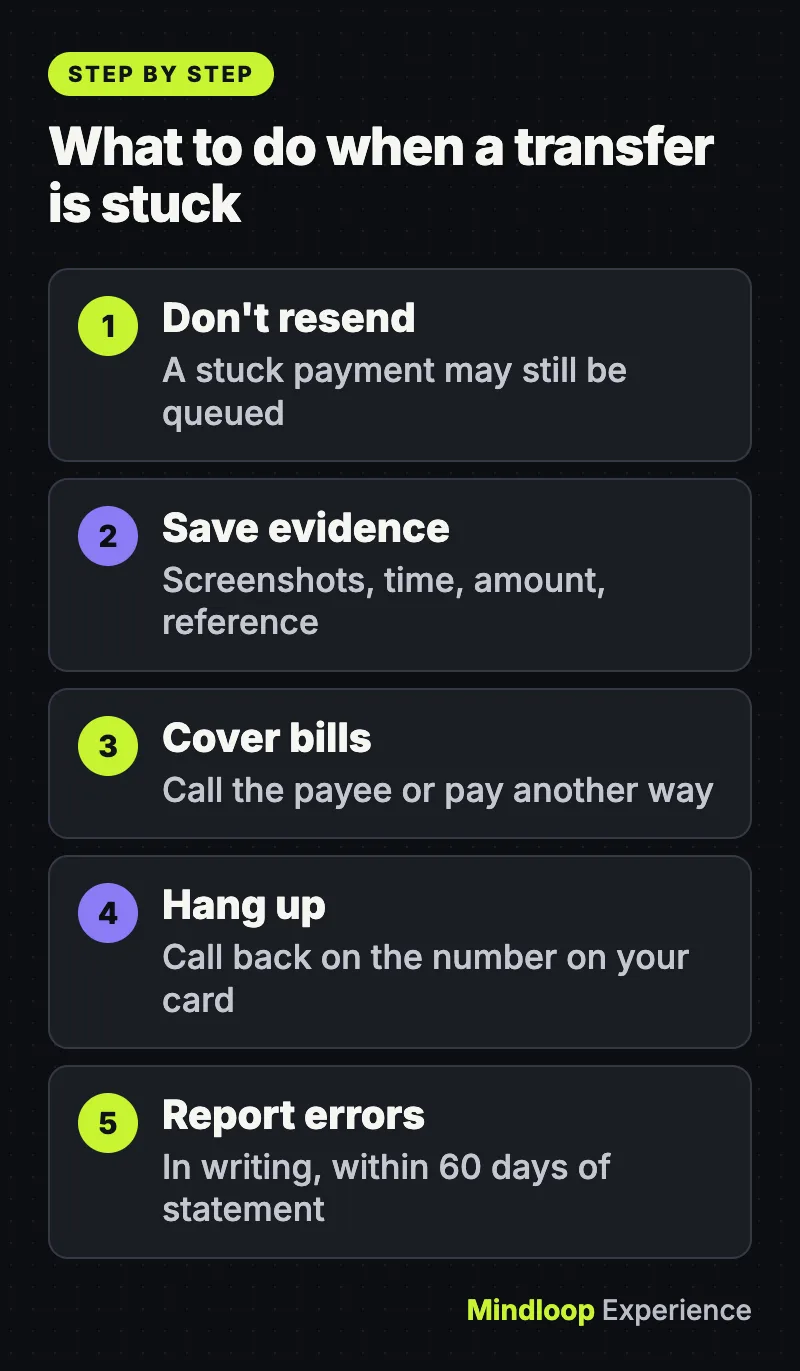
1. Don’t send the same payment again
A payment that looks stuck may still be queued. If you resend it and both go through, you’ve paid twice. The FTC warns that sending money through a payment app is like sending cash: “it’s very hard to get it back.” Wait until your bank says service is back, then check your activity before you try again.
2. Check official channels, not rumors
Go to your bank’s own app, website or verified social accounts for status notices. Downdetector is useful for seeing that you’re not alone, but it counts complaints, not causes. For interbank systems, the Federal Reserve posts a service status page for FedACH, FedNow and Fedwire.
3. Save the evidence
Take screenshots of the pending payment, any error message and your balance. Write down:
- the date and time you sent it
- the amount and the recipient
- any confirmation or reference number
This is the information a bank needs if you later report an error. Under federal rules, a notice of error should identify you and your account, say why you think there’s an error, and include the type, date and amount where possible (12 CFR 1005.11).
4. Cover anything that’s due today
If a bill, rent payment or deadline can’t wait, call the person or company you owe. Tell them about the outage and ask for a short extension, or pay another way you can confirm, such as a credit card or in person. Ask them to confirm in writing (an email is fine). If a late paycheck is the problem, our guide to the Workday outage covers what to ask your employer.
5. Treat “your bank” calling you with suspicion
Outages are perfect cover for scammers. A common Zelle scam involves someone posing as your bank and walking you through moving money to a “safe” account that’s really theirs, the FTC says. Your bank will never contact you to tell you to transfer money or to ask for passcodes. Hang up and call the number on the back of your card. The same rules apply to texts and emails: our data breach notice guide shows how to check a message before you act on it.
6. Check your account again over the next few days
When service returns, look for:
- duplicate charges or transfers
- a payment marked as sent that the other person never received
- a wrong balance, a missing deposit, or a fee caused by the delay
7. Report a real error quickly, in writing
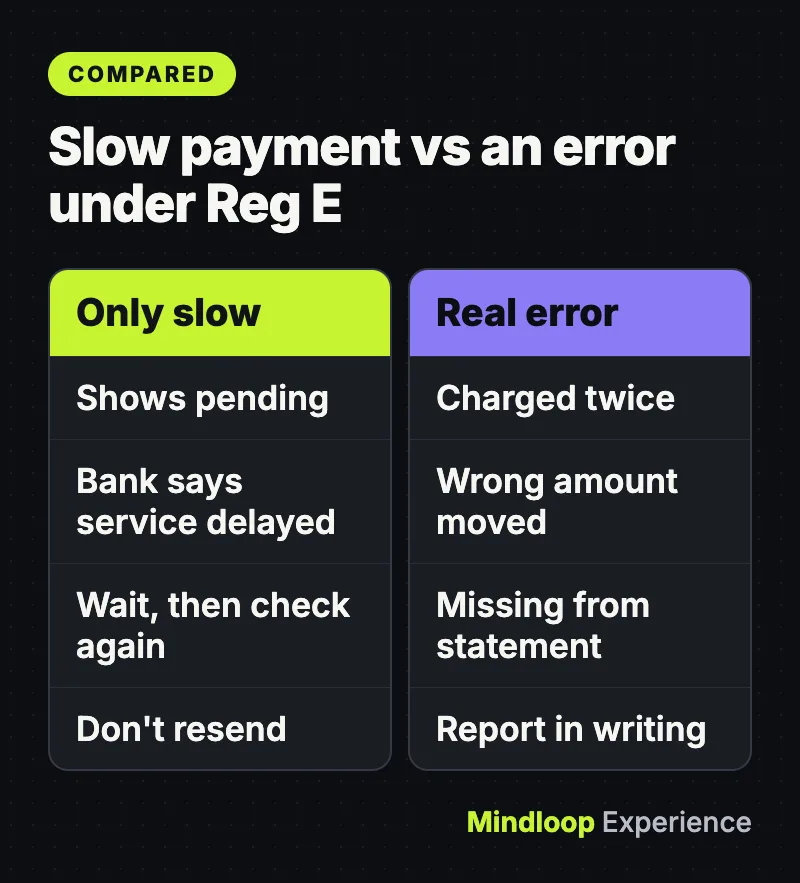
A payment that is only slow is not clearly an “error.” Regulation E does list these as errors: an incorrect transfer to or from your account, a transfer missing from your statement, and a bookkeeping mistake by the bank. These rules cover electronic fund transfers from a personal account: transfers you start from a terminal, phone or computer, including debit card payments, ATM withdrawals and direct deposits. They don’t cover checks or wire transfers sent through Fedwire or similar wire systems (12 CFR 1005.3), so for those, ask your bank which dispute process applies.
Report it as soon as you see it. Under 12 CFR 1005.11, your notice is covered if the bank receives it within 60 days after it sends the statement where the problem first appears. The CFPB explains the timeline:
- The bank generally has 10 business days to investigate (20 if the account is less than 30 days old).
- If it needs longer, it must generally put a temporary credit in your account while it keeps looking. It then has 45 days to resolve the dispute, or up to 90 in some cases.
- If you reported it by phone and the bank asks for written confirmation, send it within 10 business days, or the bank doesn’t have to give the temporary credit.
Common problems and fixes
| Problem | What to do |
|---|---|
| Zelle payment shows “pending” | Don’t resend. Wait for your bank to restore service, then check whether it went through. |
| Payment shows sent, but the other person has nothing | Ask them to check their own bank’s notices. Their bank may be the one delayed. |
| Charged twice after the outage | Report it to your bank in writing as an error and keep your screenshots. |
| ATM gave the wrong amount of cash | Call your bank right away, and the ATM owner if it’s a different bank. Keep the receipt (CFPB). |
| Late fee because a payment was delayed | Ask the company to waive it, citing the outage, and ask your bank for a written confirmation of the delay. |
When to get advice
Escalate if your bank doesn’t fix a clear error, misses the deadlines above, or if you think you sent money to a scammer. Start with your bank’s complaints process. If that fails, you can file a complaint with the Consumer Financial Protection Bureau. Online it takes about 10 minutes, or you can call (855) 411-2372, and the CFPB says most companies respond within 15 days. If you paid a scammer, the FTC says to report it to the payment app and then at ReportFraud.ftc.gov. For a large or business payment, talk to your bank’s account manager or a consumer attorney.
The short version
Don’t resend. Save proof. Pay anything urgent another way. Hang up on callers who say they’re your bank, and report real errors in writing within 60 days of your statement. A broken app is annoying; paying twice or paying a scammer is worse. For more money basics, browse our Money section.
Frequently asked questions
Was Zelle down on November 16?
Zelle said it was not down and was operating as it should. It said an issue at banks may have delayed Zelle payments for some of their customers, and U.S. Bank said clients sending or receiving Zelle payments with another bank could see delays.
Was the Chase outage a cyberattack?
Chase said it was a technical issue, not cyber related, and that customers still had access to their accounts and funds while some transactions took longer than usual.
Should I send a Zelle payment again if it’s stuck?
No. A payment that looks stuck may still be queued, and if both go through you have paid twice. The FTC says sending money through a payment app is like sending cash and very hard to get back. Wait for your bank to restore service and check your activity first.
How long does a bank have to fix an error on my account?
Under Regulation E, a bank generally has 10 business days to investigate after you report an error (20 for accounts under 30 days old). If it needs longer, it must generally give a temporary credit and resolve it within 45 days, or up to 90 in some cases.
Quick quiz
Who holds your money when you send a Zelle payment?
- Zelle
- Your bank and the recipient’s bank
- The Federal Reserve
Zelle told CBS News it does not hold consumer funds; payments move between bank accounts.
What should you do if ‘your bank’ calls and asks you to move money to a safe account?
- Follow the steps quickly
- Hang up and call the number on your card
- Send a small test payment first
The FTC says your bank will never contact you to tell you to transfer money.
How long after your statement do you have to report an error under Regulation E?
- 10 days
- 60 days
- 1 year
Your notice is covered if the bank receives it within 60 days after it sends the statement where the error first appears.
Sources
- CFPB: How do I get my money back after I discover an unauthorized transaction or money missing from my bank account?
- 12 CFR 1005.11, Procedures for resolving errors (Regulation E), eCFR
- CFPB: Submit a complaint
- FTC: Do you use payment apps like Venmo, CashApp, or Zelle? Read this
- Federal Reserve Financial Services: Service Status
- CBS News: Major U.S. banks report widespread service outages
- ABC News: Some US banks reporting technical issues, delays with online transactions
- Newsweek: Are Chase, Wells Fargo down? Latest update on bank outages
- AP News: A technical issue at JPMorgan Chase triggers online banking delays for major US banks (November 16, 2026)



Write a response